
Add Actions & Start Bot
Build your automation queue in the Action Editor and start your first RoKMaster farming session.
5 min read · Updated August 2026
- 1
Open RoKMaster
Launch RoKMaster and confirm your license shows as Active. The dashboard must be loaded before you add any actions.
- 2
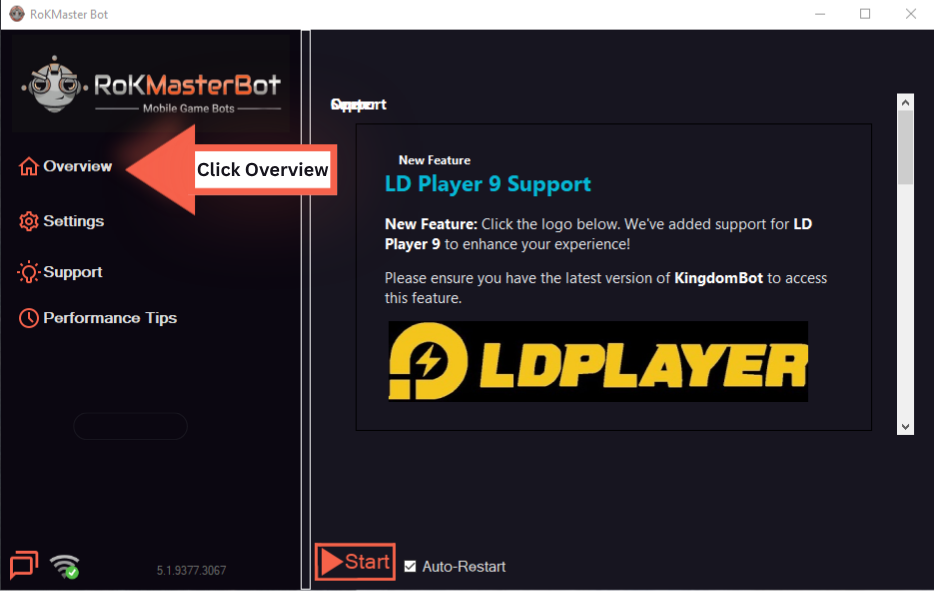
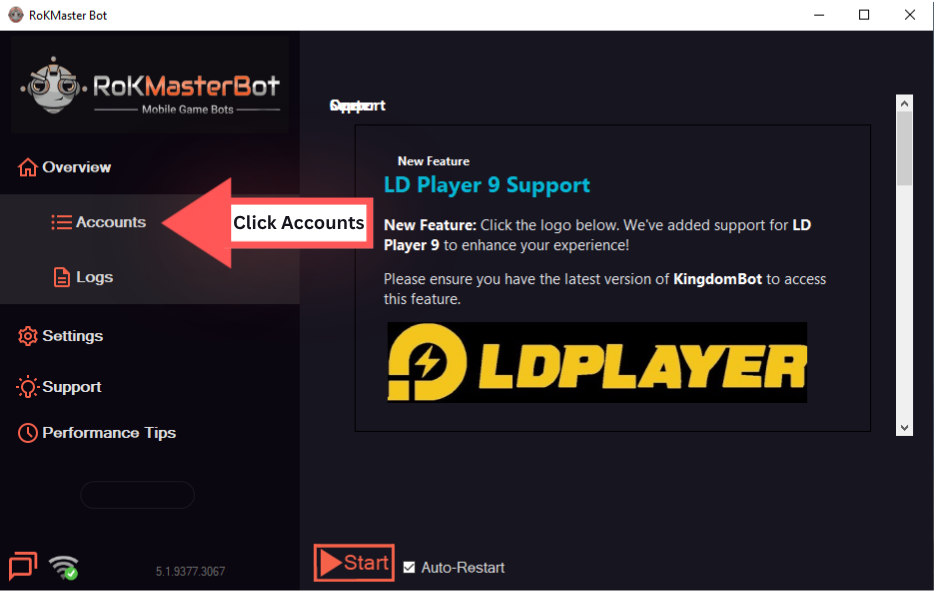
Open Accounts Tab
Open the Accounts page and confirm the governor you want to farm is connected. Every action runs against the currently selected account.
- 3
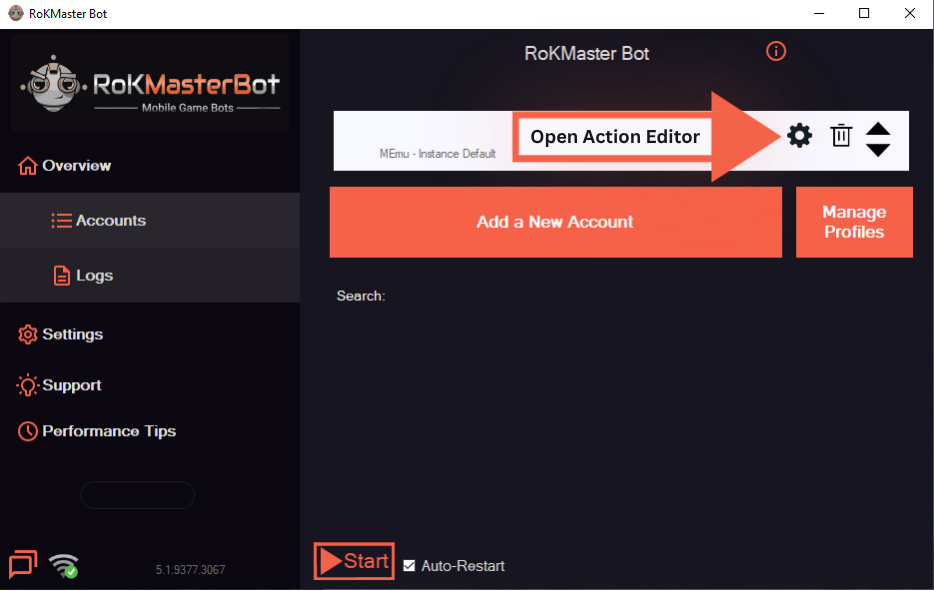
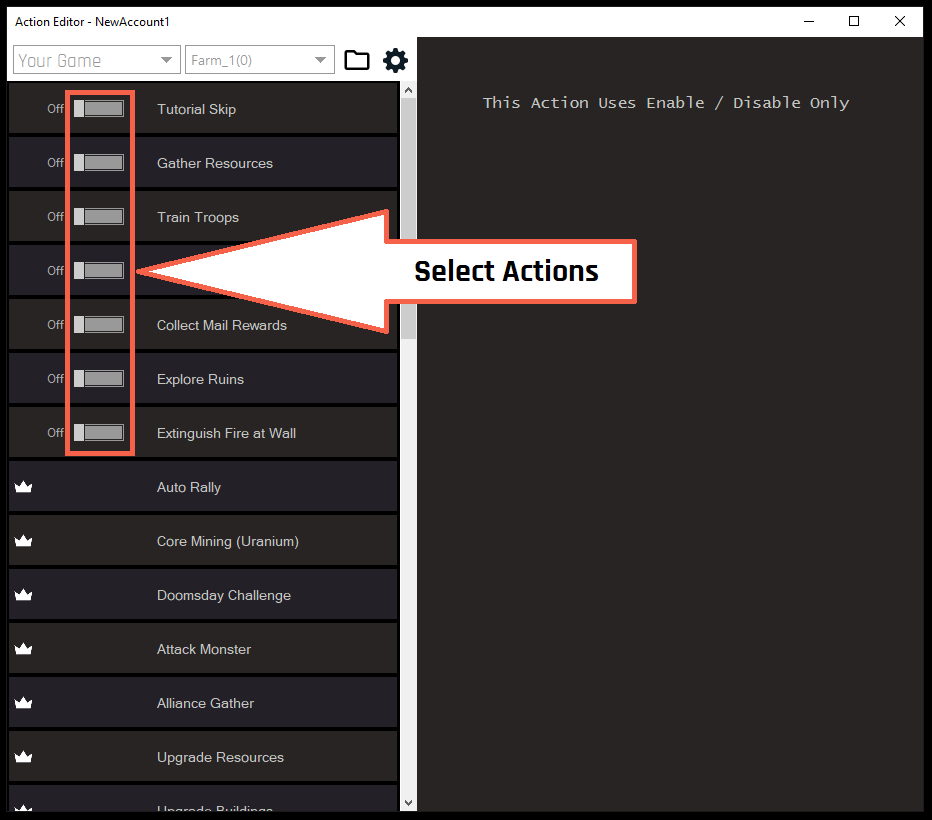
Select Actions
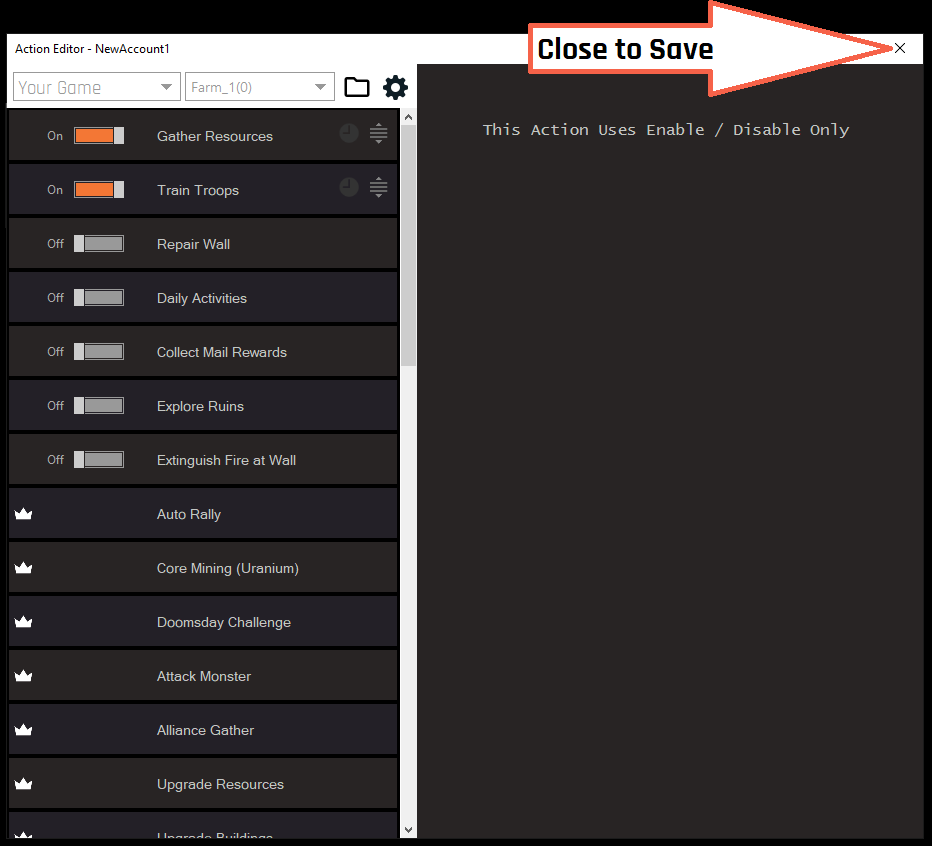
Open the Action Editor from the main toolbar, pick the actions you need — gather, build, upgrade or train — and set the targets and repeat intervals for each one. Save the queue when you are done.
- Gathering: repeat while resources are available.
- Build and upgrade: run in a loop so queues never sit idle.
- 4
Start the Bot
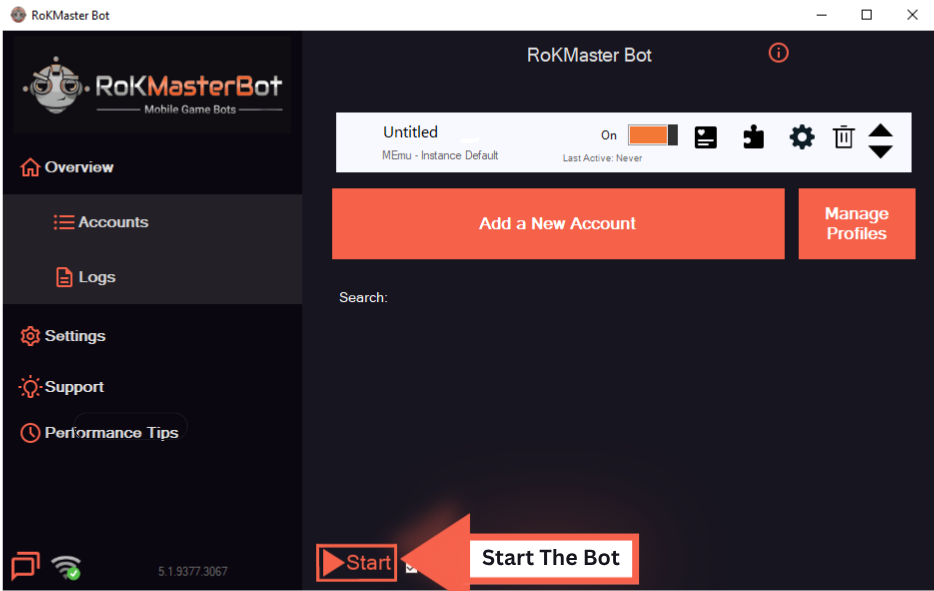
Close the Action Editor and press Start to run the queue. Watch the progress on the dashboard and use Stop whenever you want to pause.
Was this guide helpful?