
Unlimited Accounts
Run every Rise of Kingdoms governor you manage from one RoKMaster setup — there is no account limit.
4 min read · Updated August 2026
- 1
Add Accounts in Emulator
Create one Android emulator instance for each governor you want to automate. Set the Number of Accounts Running at Once so the emulator starts the right number of copies.
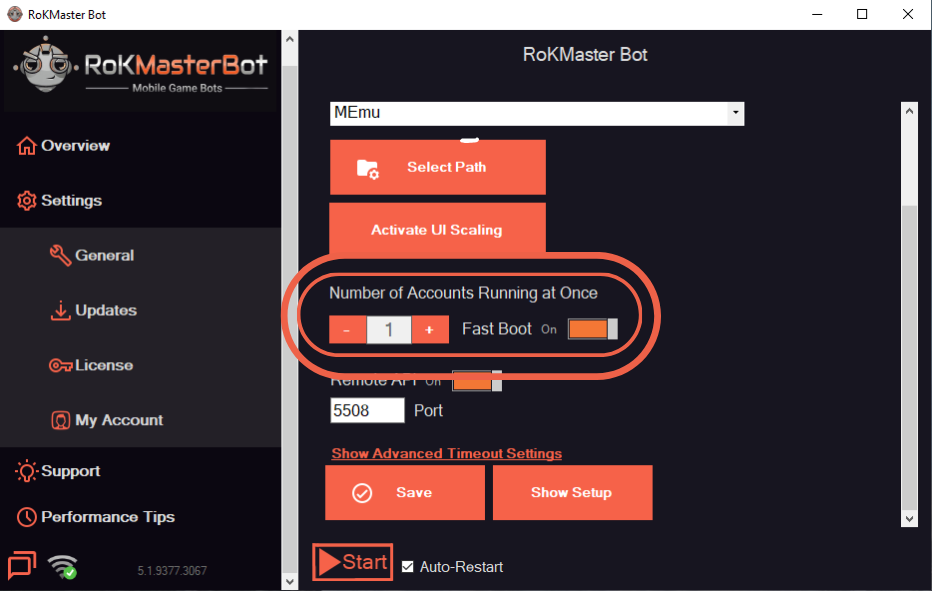
- 2
Add Accounts in Bot
Open the Accounts page in RoKMaster and add each governor. Give every account a clear label so it is easy to identify later.
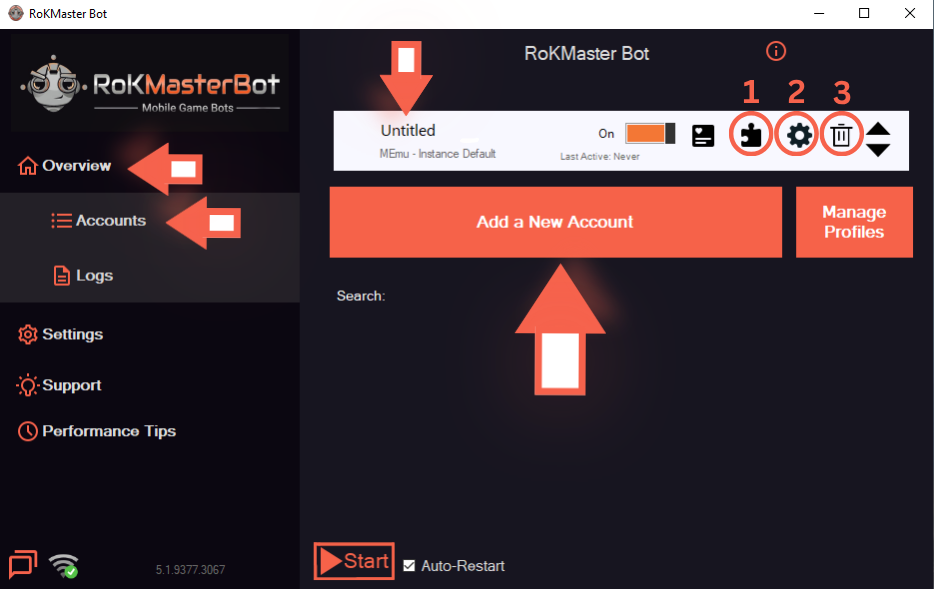
- 3
Login to Game Accounts
Sign in on every emulator instance and wait for each city to load. RoKMaster needs a fully loaded city before it can control the governor.
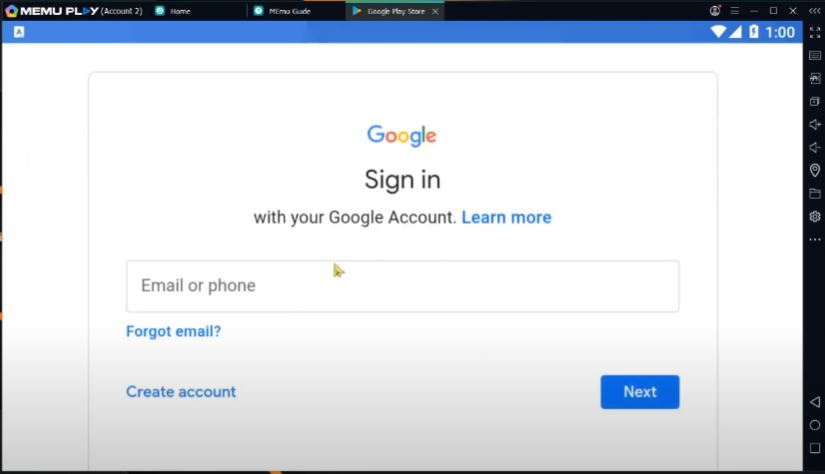
Was this guide helpful?